
ChangeMyFile - Free Online File ConverterChangeMyFile
Trusted by thousands of users worldwide

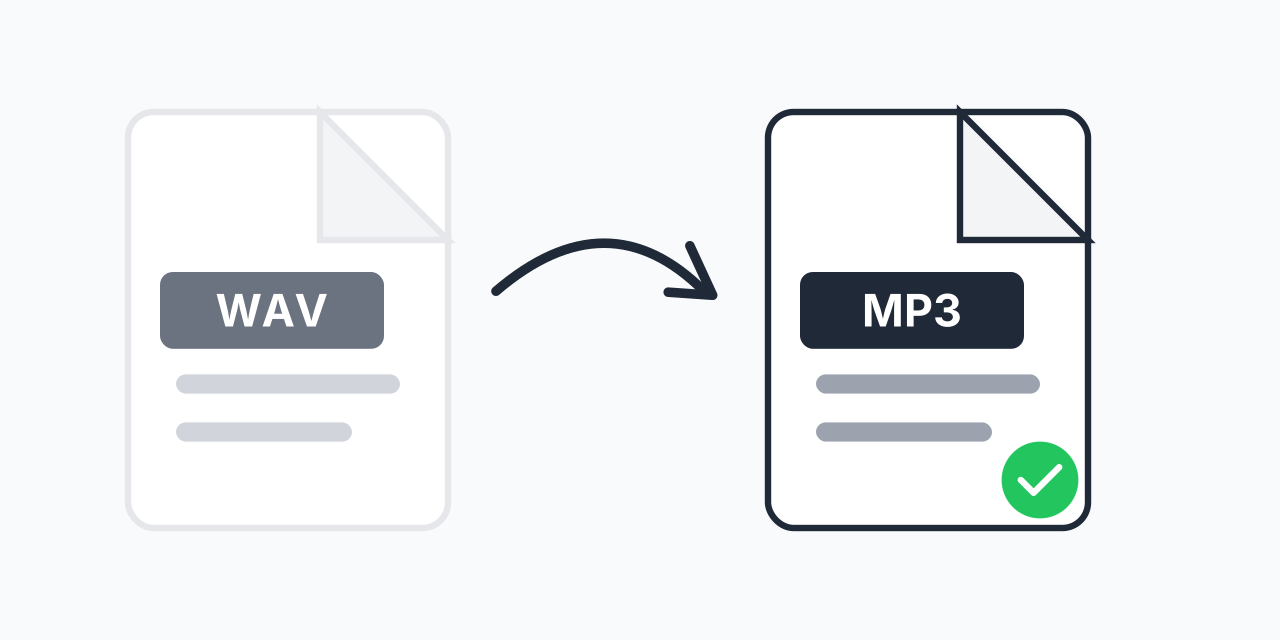
Convert WAV to MP3 - Shrink Audio Files Without Losing Clarity

Convert WAV to MP3 - Shrink Audio Files Without Losing Clarity

Step 1: Upload your files

You can also Drag and drop files.

Step 2: Choose format
Step 3: Convert files

Read Terms of use before using

Share:fXin@
500+ Formats
Lightning Fast
100% Secure
Always Free
Cloud Processing

Large WAV Files Eating Your Storage?

WAV files deliver pristine audio quality but at a cost: a three-minute song takes up roughly 30 MB of storage. That adds up fast when you're managing a music library, podcast episodes, or voice recordings. Our free WAV converter transforms your uncompressed audio into compact MP3 files that are about one-tenth the size while remaining indistinguishable to most listeners.

Whether you're preparing audio for streaming platforms, email attachments, or mobile devices, converting to MP3 format solves the storage and compatibility problem in seconds.

How to Convert WAV to MP3

  1. Upload your WAV file - Drag and drop or select files from your device. Batch upload multiple files at once.
  2. Confirm MP3 output - MP3 is selected by default for maximum compatibility across all devices and platforms.
  3. Download your compressed file - Your MP3 is ready instantly, typically 90% smaller than the original WAV.

The entire process happens in your browser with no software installation required. Your files are processed securely and automatically deleted after conversion.

Understanding WAV vs MP3: What Actually Happens

WAV (Waveform Audio File) stores audio as raw, uncompressed PCM data at a standard bitrate of 1,411 kbps for CD-quality stereo (44.1 kHz, 16-bit). MP3 uses psychoacoustic compression to remove frequencies most human ears cannot perceive, reducing bitrates to 128-320 kbps.

  • File size reduction - A 30 MB WAV becomes a 3-4 MB MP3 (roughly 10x smaller)
  • Quality at 320 kbps - Most listeners cannot distinguish from the original WAV in blind tests
  • Quality at 192 kbps - Excellent for podcasts, audiobooks, and casual listening
  • Quality at 128 kbps - Acceptable for voice recordings, noticeable compression on complex music

Important: Converting WAV to MP3 is inherently lossy. The removed audio data cannot be recovered by converting back to WAV. Always keep your original WAV files as masters if you need the highest quality for future editing.

When You Need WAV to MP3 Conversion

Sharing Music and Podcasts

You've finished recording a podcast episode or music track, but the raw WAV file is too large to email or upload quickly. Converting to MP3 at 192-256 kbps gives you broadcast-quality audio that uploads in seconds instead of minutes.

Building a Portable Music Library

Your phone's storage fills up fast with uncompressed audio. Converting your music collection to 320 kbps MP3 lets you carry thousands of songs instead of hundreds, with quality that satisfies most listeners.

Website and App Audio

Background music, sound effects, and audio clips for websites load faster and use less bandwidth as MP3 files. Users on mobile connections will thank you.

Voice Recordings and Dictation

Voice memos and dictation files don't need CD-quality fidelity. Converting to 128 kbps MP3 shrinks files dramatically while keeping speech perfectly clear.

Choosing Between MP3 and Other Formats

MP3 isn't your only option for compressed audio, but it remains the most universally compatible choice.

  • Choose MP3 when: You need maximum device compatibility, smaller files for sharing, or audio for web/mobile use
  • Choose AAC when: You're targeting Apple devices or need slightly better quality at the same bitrate
  • Choose FLAC when: You want lossless compression (still 50-60% of WAV size) for archiving high-quality audio
  • Keep WAV when: You plan to edit the audio further, need the original for mastering, or archiving irreplaceable recordings

Need lossless compression instead? Try our WAV to FLAC converter to reduce file size without any quality loss.

Batch Convert Multiple WAV Files

Converting an entire album or podcast series? Upload all your WAV files at once and convert them in a single batch. Each file processes independently, so you can download them as they complete or wait for the entire batch to finish.

Works on Any Device

Our converter runs entirely in your browser using modern web technology. No downloads, no plugins, no account required.

  • Windows, Mac, Linux, ChromeOS
  • Chrome, Firefox, Safari, Edge
  • iPhone, iPad, Android phones and tablets

Pro Tip

For archiving, convert to both 320 kbps MP3 for everyday use and keep the WAV original. Storage is cheap; re-recording is not. If storage is truly limited, FLAC gives you lossless quality at half the WAV size.

Common Mistake

Users often convert WAV to MP3 and delete the original, then later need to edit the audio. MP3 compression adds artifacts that compound with each edit-and-save cycle. Always keep the WAV master for any audio you might edit later.

Best For

Perfect for sharing music via email, uploading to streaming platforms, building mobile music libraries, and reducing storage costs for podcast archives or voice recordings.

Not Recommended

Not ideal for audio you plan to professionally edit, remix, or master. The lossy compression removes data you cannot recover. Keep originals in WAV or FLAC for production work.

Frequently Asked Questions

Yes, MP3 is a lossy format that removes audio data during compression. However, at 320 kbps, most listeners cannot hear the difference from the original WAV. At 192 kbps, quality remains excellent for podcasts and casual listening. The quality loss only becomes noticeable at lower bitrates like 128 kbps, especially on complex musical passages.

For music you want to keep long-term, use 320 kbps for near-transparent quality. For podcasts and voice recordings, 192 kbps offers excellent clarity at smaller file sizes. For background audio or voice memos where quality is less critical, 128 kbps works well. Each step down roughly halves the file size.

MP3 files are typically 90% smaller than equivalent WAV files. A 30 MB three-minute WAV song converts to approximately 3-4 MB at 320 kbps, or around 2 MB at 128 kbps. This dramatic reduction comes from removing audio frequencies most humans cannot consciously perceive.

No. Converting MP3 to WAV creates a larger file but does not restore the audio data removed during MP3 compression. The quality remains identical to the MP3. Always keep your original WAV files if you need the full uncompressed quality for future use.

WAV stores audio as raw, uncompressed PCM data at 1,411 kbps for standard CD quality (44.1 kHz, 16-bit stereo). This preserves every detail of the recording but results in roughly 10 MB per minute of audio. Higher sample rates and bit depths increase file size further.

For distribution and playback, 320 kbps MP3 satisfies professional standards and passes most blind listening tests. However, keep WAV or FLAC masters for editing, mixing, or mastering work since repeated saves of lossy formats compound quality degradation.

Yes. MP3 is the most universally supported audio format, compatible with virtually every music player, smartphone, computer, car stereo, and streaming platform created in the last 25 years. This universal compatibility is MP3's primary advantage over newer formats like AAC or Opus.

Most files convert in seconds. A typical three-minute song processes almost instantly in your browser. Larger files or batch conversions may take slightly longer depending on your device's processing power, but conversion is generally much faster than uploading the original WAV file.

Our converter handles large WAV files efficiently through browser-based processing. You can convert files up to several hundred megabytes, which covers even lengthy recordings like full album masters or hour-long podcast episodes.

Variable bitrate (VBR) produces smaller files with equivalent perceived quality by using more bits for complex passages and fewer for silence. Constant bitrate (CBR) ensures consistent file size and better compatibility with older hardware. For modern use, VBR at quality setting V0 matches 320 kbps CBR quality at smaller sizes.

Quick access to the most commonly used file conversions.