
Merge PDF Files
Combine PDF files into one document, in the order you choose.
Drop your PDFs here
Drag files here or pick from your device
How to
How to merge PDF files into one
You need at least two PDFs.
- 1
Add your PDFs
Drop the files onto the upload box, or click Browse files to pick them from your device. They are listed in the order you add them.
- 2
Put them in order
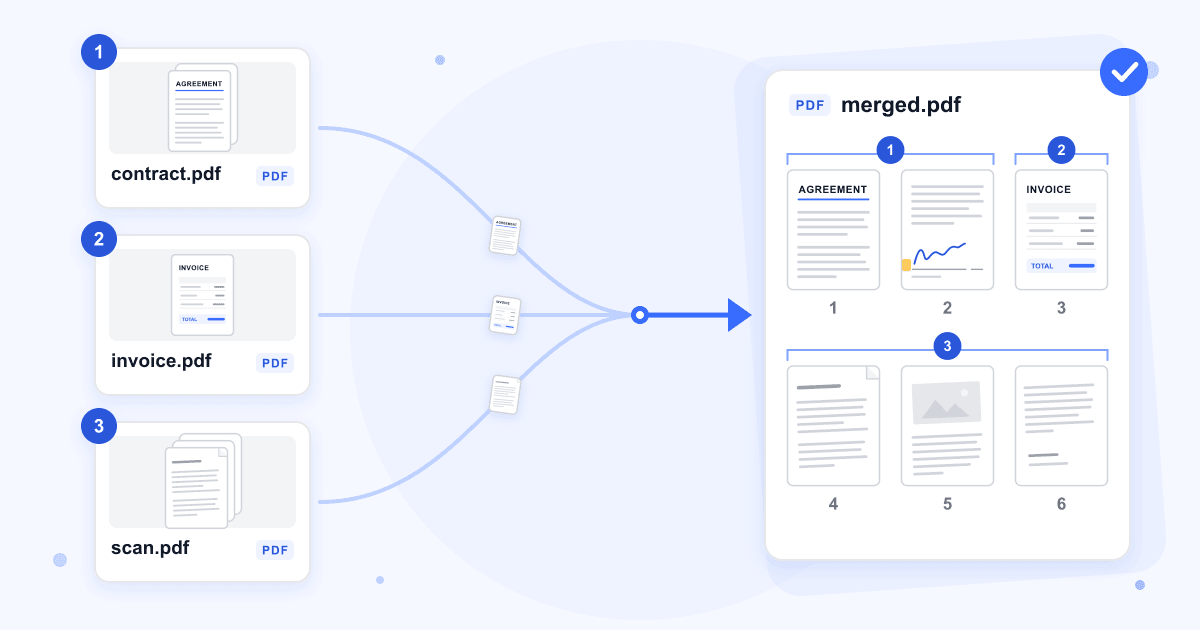
Drag a card, or use its arrow buttons, to move it. The pages of the first card come first in the merged file, then the pages of the second card, and so on.
- 3
Merge and download
Click the Merge button. When it finishes, download the combined PDF. Your original files are not changed.
Guide
Merging PDFs: what to know before you start
Merging joins several PDFs into one file, one after another. It is the quick way to send a contract together with its signed pages, or to hand in a scanned assignment as a single upload instead of one file per page.
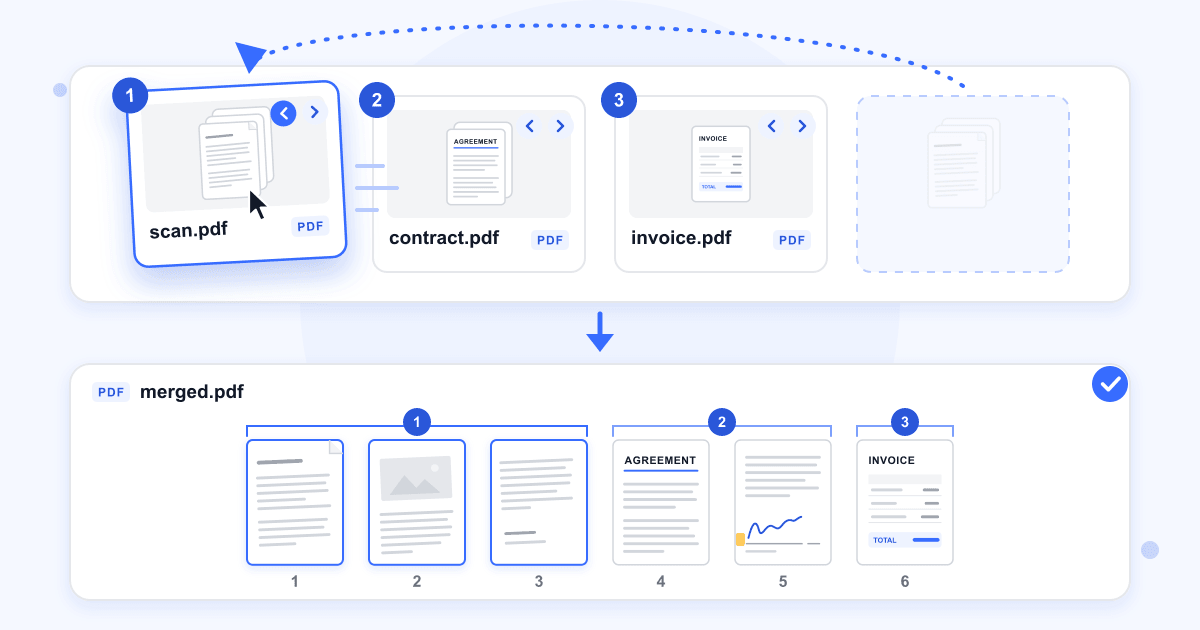
Merging keeps each file's pages together. To put a single page somewhere else in the merged file, split its file first with Split PDF, then merge the pieces in the order you want.
Password-protected PDFs
A PDF that asks for a password when you open it can't be merged. Remove the password with Remove PDF Password, then merge the unlocked file. A PDF that opens normally but blocks printing or editing merges without any extra step.
Page sizes and quality
Each page keeps its own size, so A4 and US Letter pages can sit in the same file. Pages are copied across as they are: text stays selectable and images are not compressed again.
Forms, bookmarks and links
Fillable form fields are flattened. Anything already typed into them stays visible, but the fields can't be edited in the merged file, so fill in forms before you merge. Bookmarks and internal links from the original files don't work in the merged file.
Photos and scans
The merge takes PDF files only. Turn photos or scans saved as images into PDFs first with JPG to PDF or PNG to PDF, then add them to the merge.
Last updated: 17 October 2026 · ChangeMyFile
Tested: 14 October 2026. Merged a 3-page and a 2-page PDF: the result had 5 pages, the first file's pages first. Merged an A4 page holding a JPEG image with a US Letter page: both pages kept their size, and the image was byte for byte the same as the original.
FAQ
Merge PDF questions
At a glance
- Files per merge
- Up to 20
- Upload limit
- 100 MB per merge
- Where it runs
- Our server
- Files deleted
- Within 24 hours
- Account
- Not needed
- Watermark
- None
Can't find your answer? Visit our Help center.