
Word to PDF
Upload a .docx or .doc file and download a PDF with the same pages.
Select Word Document
Maximum 1 file, 100MBSelect a Word file to convert
Drop your Word document here
Drag file here or pick from your device
How to
How to convert Word to PDF
You need the Word document, saved on the phone or computer you are using.
- 1
Add the Word document
Drop the file onto the upload box, or click Browse file to pick it from your device.
- 2
Click Convert to PDF
The button changes to Converting to PDF while the pages are laid out, then the results page opens.
- 3
Download the PDF
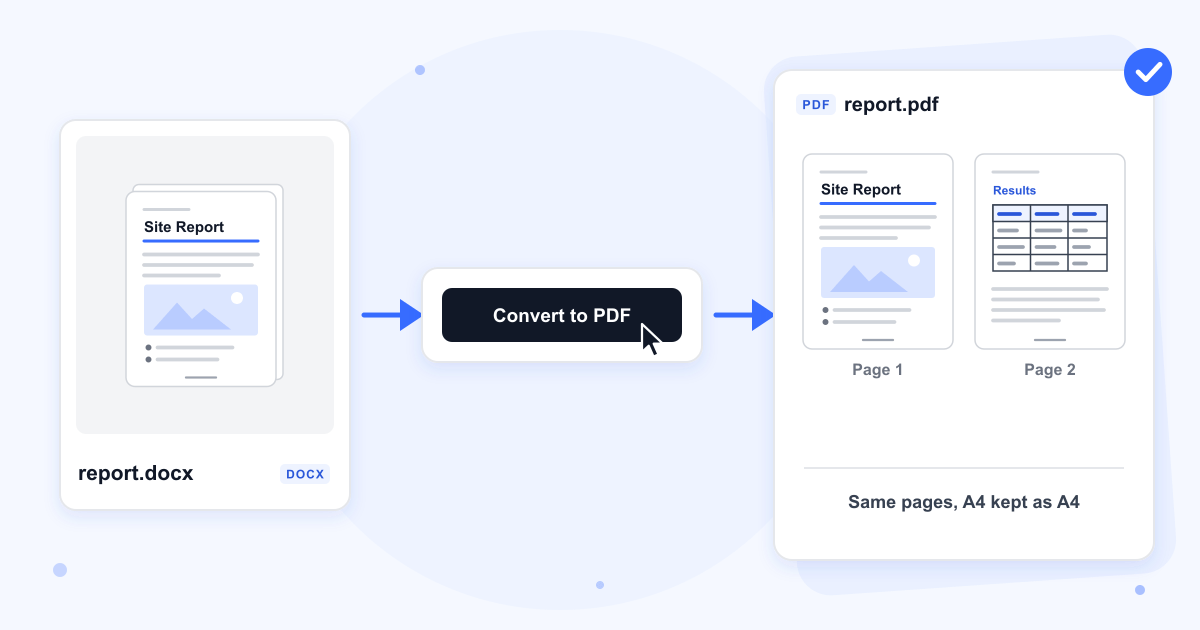
Click Download. The PDF keeps the document's name, so report.docx comes back as report.pdf, and the Word file on your device is not changed.
Guide
Converting Word to PDF without losing formatting
Our server opens the document in LibreOffice, the free office suite, and saves every page as PDF. Each page keeps the size and orientation set in the document, so A4, US Letter and landscape pages come out as they were. Text in the PDF can be selected and searched, and in our 3-page test it held every word of the document in the original order.
Accept or reject tracked changes in Word before you upload. They are printed as markup: in our test the inserted word came out coloured and underlined, the deleted word struck through, and a bar marked the line in the margin. Comments are left out of the PDF.
Calibri, Cambria and other Microsoft fonts
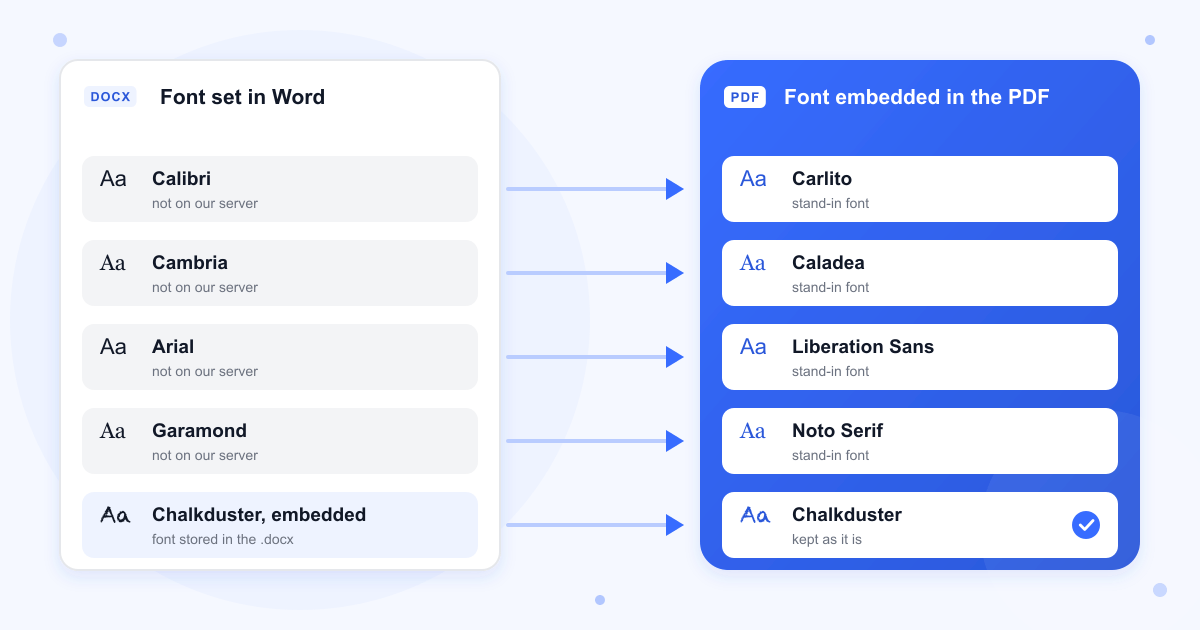
Our server doesn't have Microsoft's fonts, so it uses open-source stand-ins: Carlito for Calibri, Caladea for Cambria, Liberation Sans for Arial and Liberation Serif for Times New Roman. Georgia, Garamond, Comic Sans MS and a made-up font name all came out in Noto Serif. The font that is used gets embedded in the PDF, so the file looks the same on any device that opens it.
Keeping a custom font
Word can store the fonts a document uses inside the .docx. Tick Embed fonts in the file in the Save section of Word's options, save the document, then convert it. Our test file with Chalkduster stored this way came out in Chalkduster.
Photos and other images
Each image is scaled to 300 pixels per inch at the size it has on the page and saved as a JPEG, PNGs included. A 2400 by 1600 pixel photo set 16 cm wide came out at 1889 by 1259 pixels. This can make the PDF bigger than the Word file, 585 KB to 844 KB in our test, and Compress PDF can bring it down for an upload form with a size limit.
Tables, links, headers and page numbers
Tables keep their borders and columns. Web links stay clickable, headers and footers repeat on every page, and a Page 1 of 5 footer counts the real pages of the PDF. Headings don't become PDF bookmarks, so a long document has no outline in the reader's sidebar.
Password-protected documents
A .docx that asks for a password when it opens can't be converted, and the page shows Processing Failed. Remove the password in Word, save, and upload the file again. To protect the PDF instead, give it a password with Add PDF Password.
Last updated: 16 October 2026 · ChangeMyFile
Tested: 16 October 2026. Converted 3-page A4 and US Letter .docx files with headings, paragraphs and a bulleted list: both PDFs had 3 pages at the right size and every word of the text. Converted a file with a JPEG photo, a PNG and a 4 by 3 table, a file using nine different fonts, a file with a font stored inside it, a landscape page, an old .doc file, and a file with a web link, a header, Page X of Y numbering, a comment and tracked changes. A password-protected .docx failed and gave no PDF. Each conversion took 2 to 5 seconds.
FAQ
Word to PDF questions
At a glance
- Formats
- .docx, .doc
- Size limit
- 100 MB
- Where it runs
- Our server
- Files deleted
- Within 24 hours
- Account
- Not needed
- Watermark
- None
Can't find your answer? Visit our Help center.