
Stamp PDF
Pick a ready-made stamp or upload your own seal, click where it goes on the page, and download the stamped PDF.
Select a PDF file to stamp
Drop your PDF here
Drag file here or pick from your device
How to
How to stamp a PDF
Have the PDF saved on this device. If you want your company seal or your own rubber stamp on it, keep a picture of that stamp ready too.
- 1
Open the PDF
Drag the PDF into the dashed box or pick it with Browse file. The editor opens with the Stamp panel already showing.
- 2
Pick a stamp, then click the page
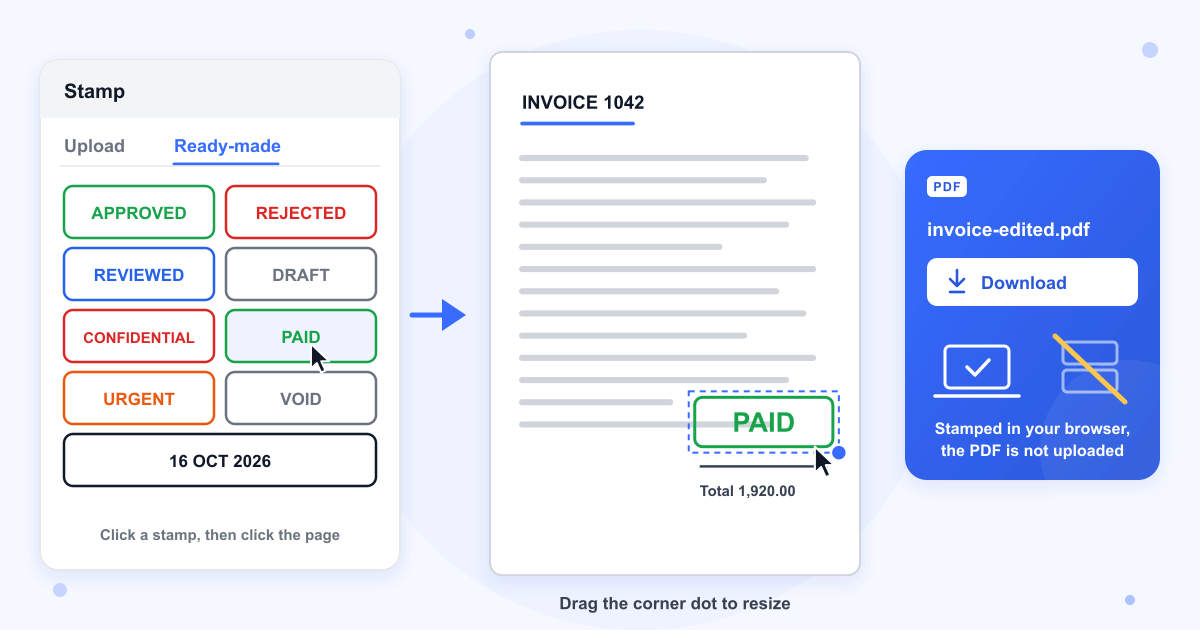
Switch to Ready-made and click a stamp such as APPROVED or PAID, or stay on Upload, add your own image and click Add to page. The panel closes, and your next click on the page puts the stamp there.
- 3
Move, resize and download
Drag the stamp into position, pull the dot on its lower right corner to change its size, then click Download. The stamped copy has -edited added to its name, so invoice.pdf is saved as invoice-edited.pdf.
Guide
Adding an APPROVED, PAID or company stamp to a PDF
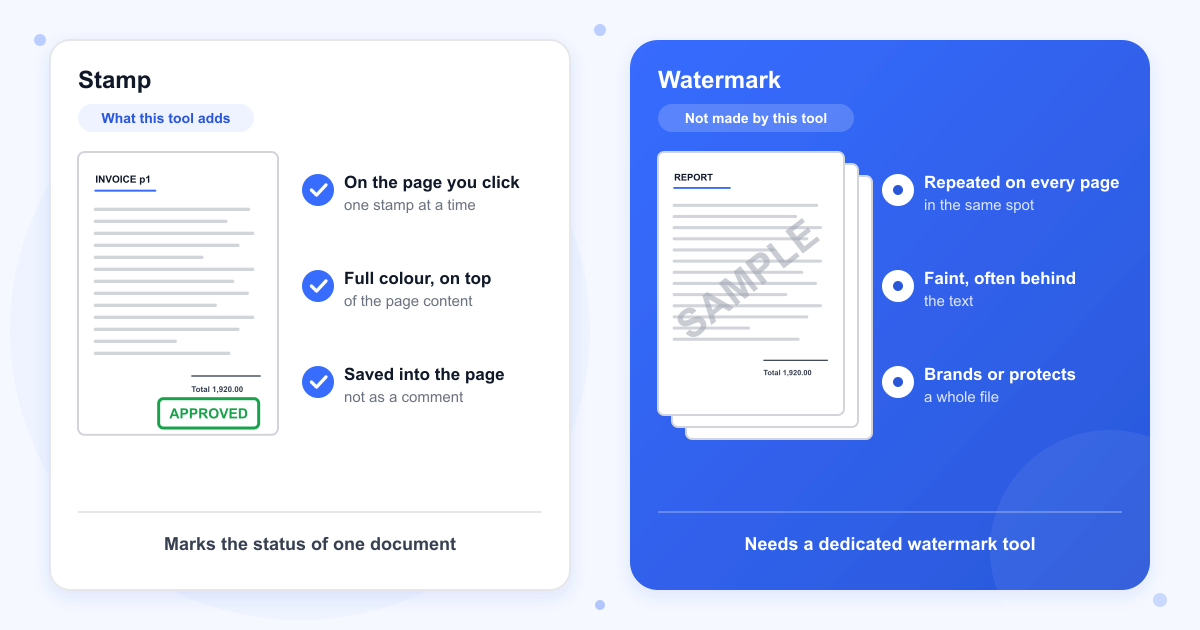
When you download, each stamp is turned into a picture and drawn on the page itself, on top of what is already there. It is not a comment or a markup note, so every PDF reader shows it and nobody can switch it off in a comments panel. In our tests the page count and page size stayed the same, and every line of the invoice text could still be selected and searched.
A stamp first appears at about a third of the page width, which is 7.4 cm on an A4 page, centred on the spot you clicked. Its lettering and frame grow and shrink together when you pull the corner, so a stamp never comes out squashed. Before you click Download, check that it isn't sitting on a figure someone needs to read.
The ready-made stamps
There are eight word stamps in bold capitals inside a rounded frame: APPROVED and PAID in green, REJECTED and CONFIDENTIAL in red, REVIEWED in blue, URGENT in orange, and DRAFT and VOID in grey. Their wording and colour are fixed. The inside of the frame is clear, so the page shows through between the letters, but the letters and the frame cover whatever they land on.
Your own stamp or company seal
Under Upload you can add a PNG, JPG, WEBP or GIF up to 10 MB, and use Crop to trim it. A PNG with a transparent background works best. A photo of a seal on paper keeps the paper as a pale square behind it, as our JPG test did, until you click Remove background. Up to 10 uploaded stamps stay saved in this browser, ready for the next document.
Stamp or watermark?
A watermark is usually faint text or a logo repeated on every page, often behind the content. This tool doesn't make watermarks. Each stamp is full strength, sits on top of the page where you clicked, and has no setting to make it see-through.
PDFs with a password
Stamps can't be saved into a PDF that has a password, and that includes a file that only blocks printing or editing. Take the password off first with Remove PDF Password, stamp the unlocked copy, and protect it again with Add PDF Password if it needs one.
Last updated: 17 October 2026 · ChangeMyFile
Tested: 16 October 2026. In Chrome, put APPROVED, CONFIDENTIAL and the date stamp on a 3-page A4 invoice, along with a transparent PNG company seal and a JPG photo of the same seal. The download had the same 3 A4 pages and every line of text, with each stamp stored as an image in the page and no comments or annotations added. Remove background took about 6 seconds and left the JPG seal with no paper behind it. Saving the stamped PDF took under a second.
FAQ
Stamp PDF questions
At a glance
- Ready-made stamps
- 8 words and today's date
- Your own stamp
- From an image you upload
- Saved as
- An image in the page
- Where it runs
- In your browser
- Account
- Not needed
- Cost
- Free
Can't find your answer? Visit our Help center.