
Compress Audio
Shrink audio files for email, Discord, or WhatsApp. Pick a simple quality preset: Basic, Good, High, or Best. Supports MP3, WAV, FLAC, M4A, AAC, OGG and Opus. No watermarks, no signup.
Drop an audio file to compress
Drag file here or pick from your device
MP3, WAV, FLAC, M4A, AAC, OGG, OPUS, AIFF, AIF, WMA · up to 200 MB
Pick a quality, see the savings
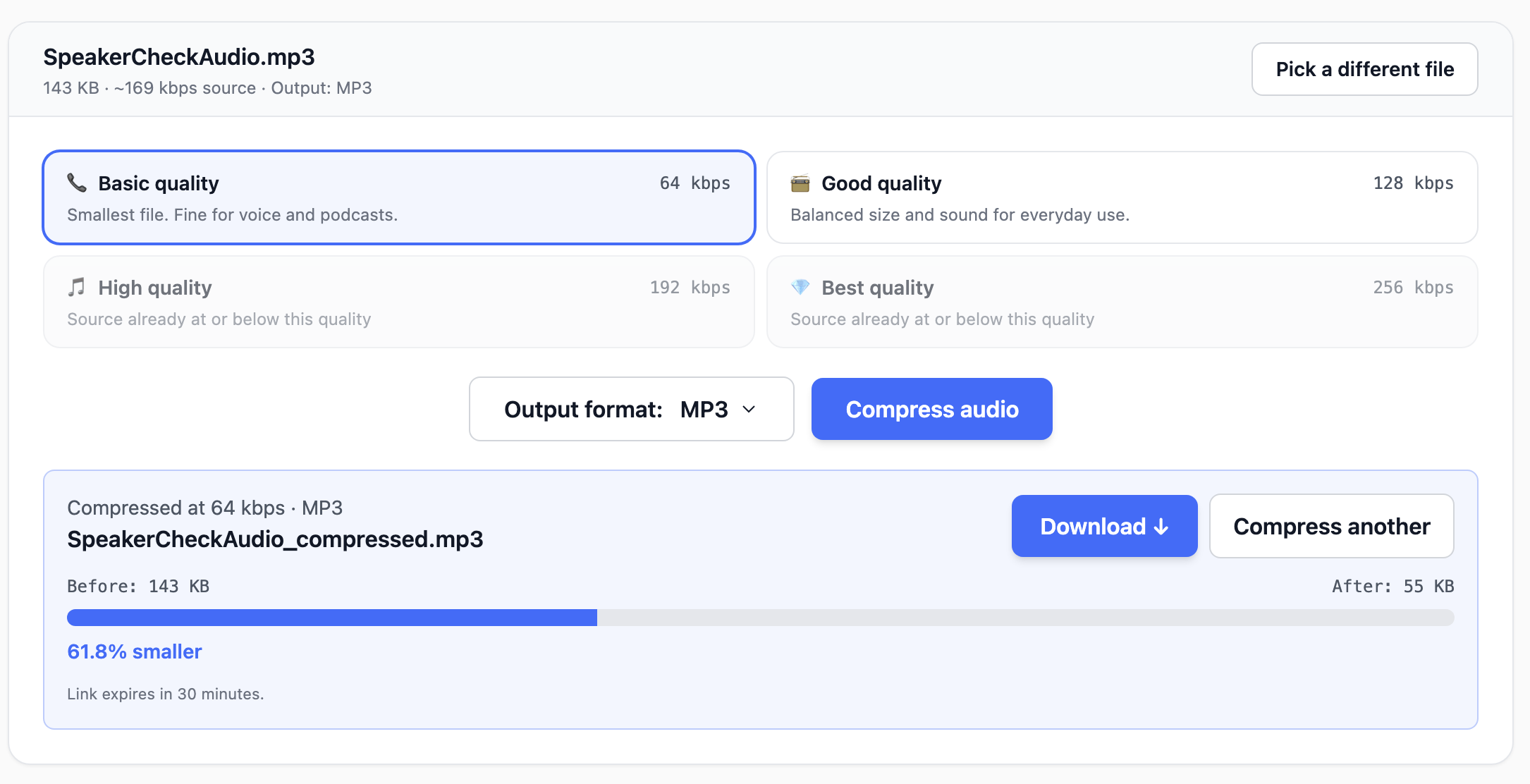
Skip the kbps math. Choose Basic, Good, High, or Best and we handle the rest. We even check your file's source bitrate first and grey out presets that would make it bigger instead of smaller.
- Plain-language presets, no audio engineering required
- Source bitrate detected in your browser before you compress
- Before / after size bar shows exactly how much you saved
- Output to MP3, M4A, AAC, OGG, or Opus
How it works
Three steps, usually under 10 seconds start to finish.
Drop your audio file
Upload MP3, WAV, M4A, FLAC, AAC, OGG, OPUS, AIFF or WMA, up to 200 MB.
Pick a quality preset
Basic is fine for voice and podcasts. Good and High suit most music. Best stays close to the original. Presets that would make your file larger are disabled automatically.
Compress and download
We re-encode the audio in your chosen format and return a download link. The link stays valid for 30 minutes.