
PDF to Excel
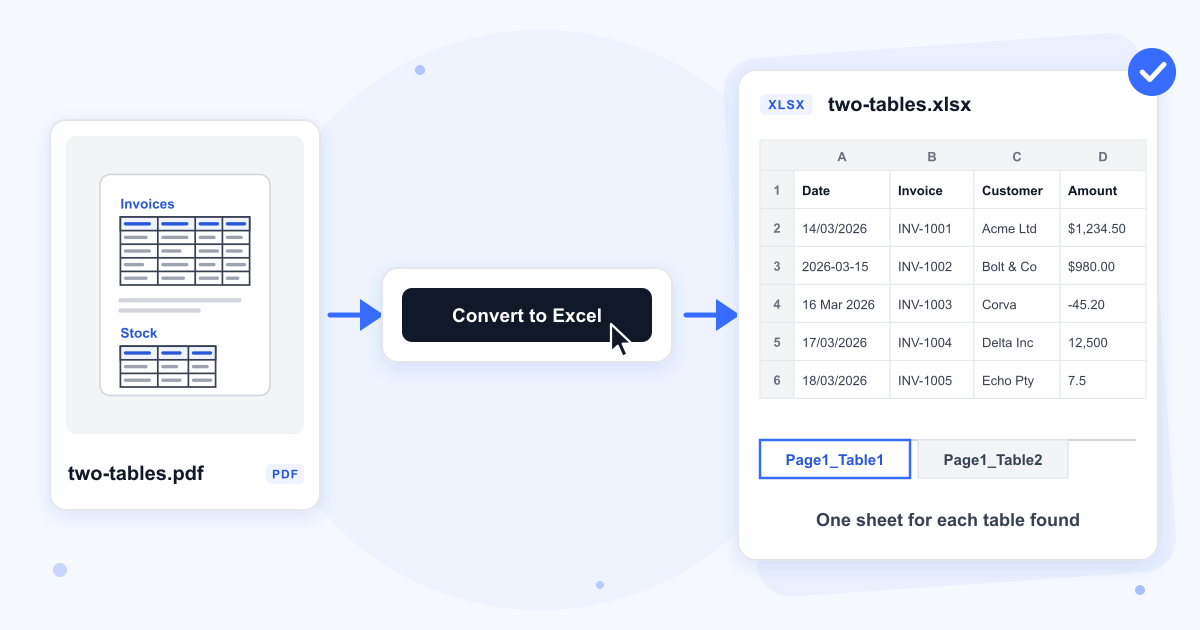
Upload a PDF with tables and download an .xlsx file with one sheet for each table.
Select a PDF file to convert
Drop your PDF here
Drag file here or pick from your device
How to
How to convert a PDF table to Excel
Have the PDF saved on the phone or computer you are using. The page converts one PDF at a time.
- 1
Add the PDF
Drop the file onto the upload box, or click Browse file to pick it from your device.
- 2
Click Convert to Excel
The button reads Converting to Excel while the tables are found, then the results page opens.
- 3
Download the spreadsheet
Click Download to save the .xlsx. It is named after the PDF, so statement.pdf comes back as statement.xlsx, and spaces or brackets in the name turn into underscores.
Guide
What a PDF table looks like once it is in Excel
Our server reads the words on each page with Camelot, an open-source table extractor, and works out the rows and columns from where the words sit. That is why a table without borders converts as well as a ruled one: in our tests both versions of the same invoice table gave the same header and five rows in five columns. It needs real text in the PDF, the kind you can select and copy in a PDF reader.
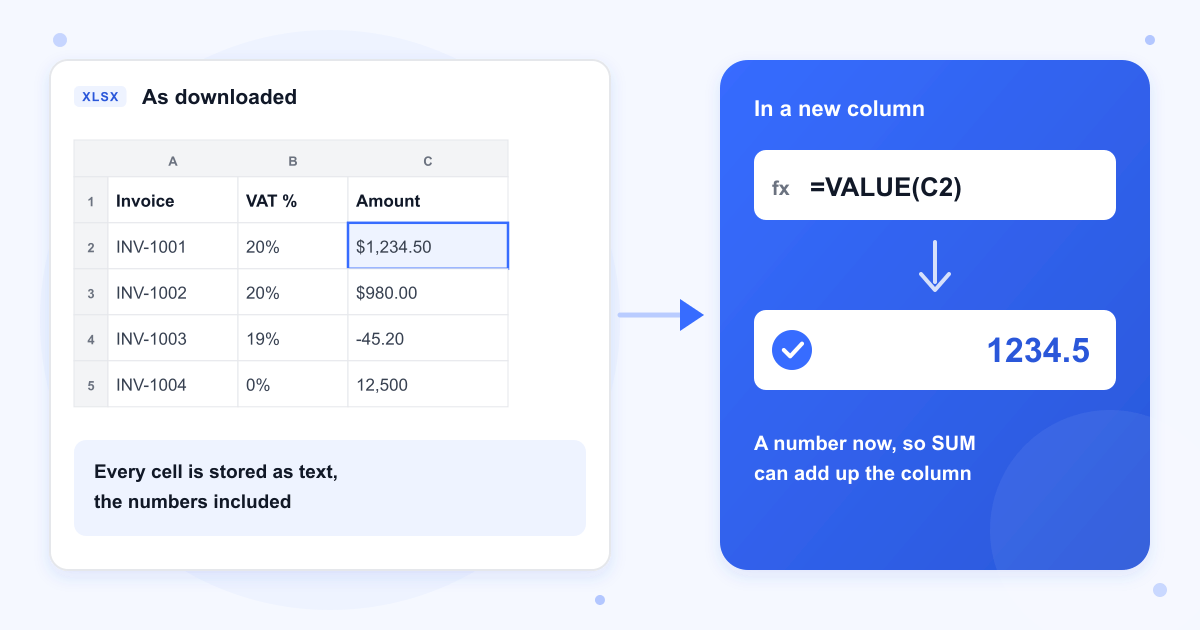
Every cell arrives as text, numbers and dates included, so $1,234.50 and 14/03/2026 sit in their cells exactly as printed. To get a number Excel can add up, put =VALUE(C2) in a spare column and fill it down. Microsoft's own example of this function turns $1,000 into 1000, so currency signs and thousands separators are not a problem.
One sheet for each table
Each table found gets its own sheet, named after its page and its number, such as Page1_Table1 and Page1_Table2. A table that runs over two pages comes back as two sheets, one per page. Our 70 row ledger split 35 and 35, so paste the second sheet under the first and delete its header row if the PDF repeated it.
Titles and notes around a table
A title or a sentence just above a table can end up in the first rows of its sheet, as the report title and intro line did in our test. A note below the table and a paragraph between two tables were left out. Very small tables with fewer than three rows are skipped.
Merged headings and wrapped cells
A heading that spans two columns, like Q1 over Units and Revenue, is not merged in Excel. In our test it moved into a row of its own and the table gained two empty columns. A description that wraps onto a second line in the PDF becomes an extra row holding the rest of the words, so bank statements with long descriptions need some tidying.
Scanned PDFs and PDFs without tables
There is no OCR, so a scanned page or a photo of a table gives the tool nothing to read, and the page shows Processing Failed. A PDF that only holds paragraphs ends the same way. To check a file first, try to highlight a word in it: if nothing highlights, the page is an image.
Locked and copy-protected PDFs
A PDF that asks for a password when it opens is turned down. If you know the password, take it off with Remove PDF Password and convert the new file. A PDF that opens freely but blocks copying text also failed in our test, because the tool is not allowed to read its words.
Last updated: 16 October 2026 · ChangeMyFile
Tested: 16 October 2026. Converted test PDFs with one bordered table, the same table without borders, two tables on one page, a 70 row table over two pages, a table with merged Q1 and Q2 headings and a bank statement with wrapped descriptions, then opened every .xlsx to check its sheets and cell values. A scanned page, a PDF with only paragraphs, a password-protected PDF, a PDF that blocks copying and a text file renamed to .pdf all failed and gave no spreadsheet. Most runs took under half a second on our server, and the two-page file took 2.4 seconds.
FAQ
PDF to Excel questions
At a glance
- Input
- PDF with selectable text
- Output
- .xlsx, a sheet per table
- Size limit
- 100 MB
- Where it runs
- Our server
- Files deleted
- Within 24 hours
- Account
- Not needed
Can't find your answer? Visit our Help center.