
Highlight PDF
Drag a yellow box over the lines you want to mark, on typed or scanned pages, and download the highlighted PDF.
Select a PDF file to highlight
Drop your PDF here
Drag file here or pick from your device
How to
How to highlight a PDF
Keep the PDF on the device you are using. A mouse or trackpad gives the most control over where each box starts and ends.
- 1
Open the PDF
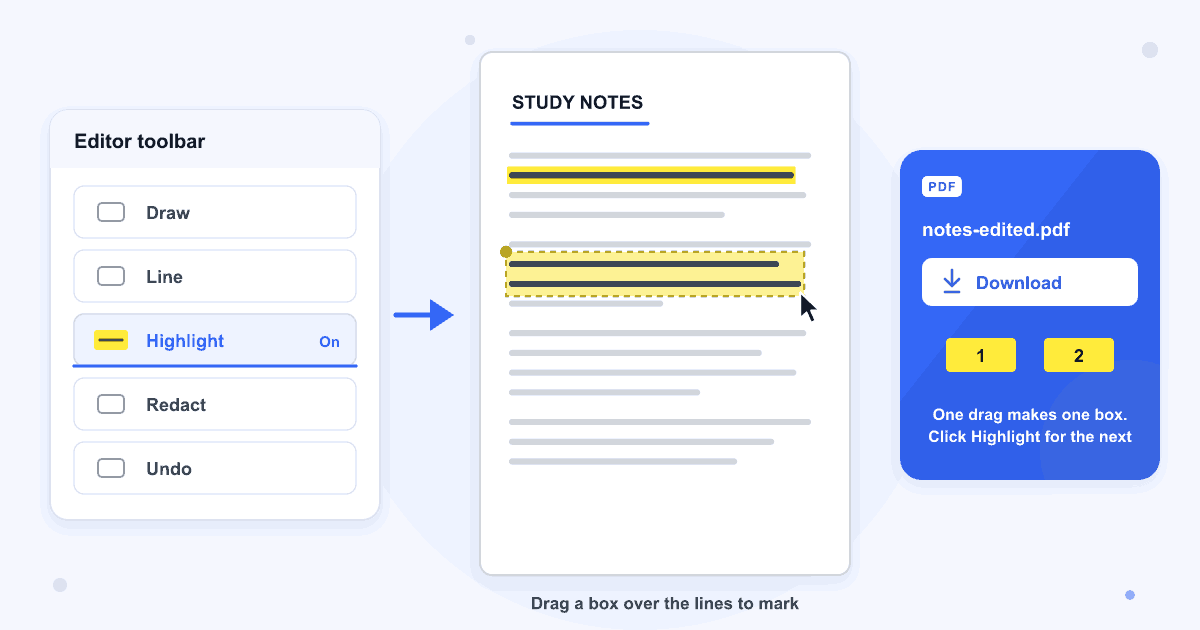
Drag the PDF into the dashed box or click Browse file. The pages open in the editor with the Highlight button already switched on.
- 2
Drag a box over the text
Press at one corner of the passage and drag to the opposite corner. The Highlight button switches off after every box, so click it again before you mark the next passage.
- 3
Click Download
The highlighted copy is saved under the old name with -edited on the end, for example notes-edited.pdf, and your original file is left unmarked.
Guide
What a highlight does to your PDF
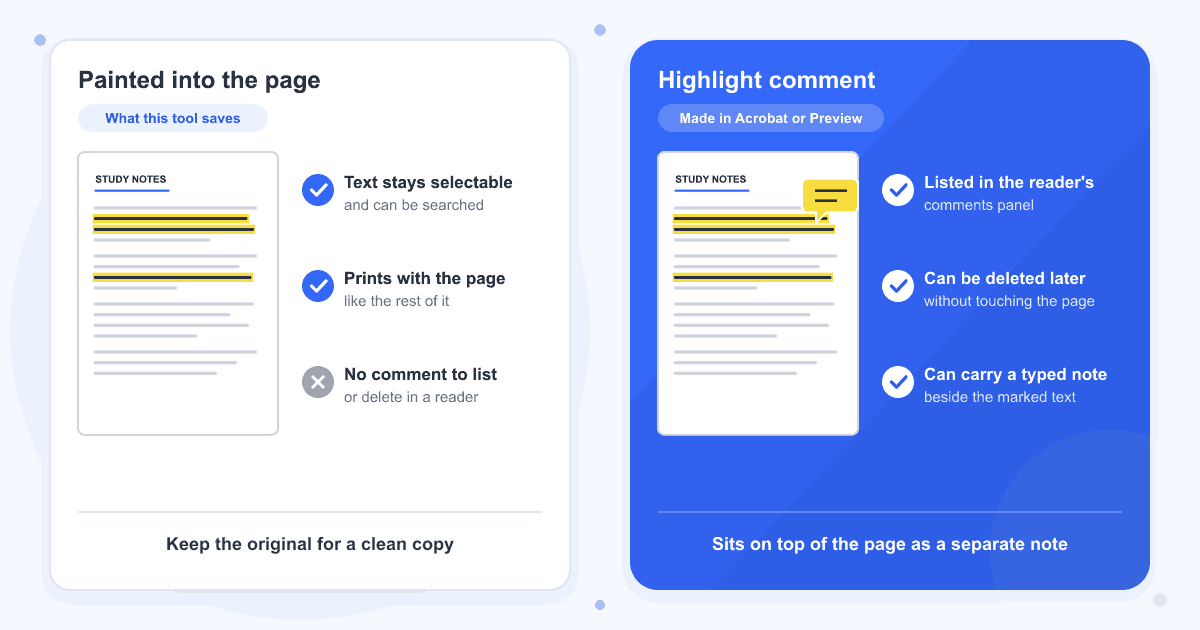
The yellow is painted onto the page with a multiply blend, which works like ink from a marker pen: white paper turns yellow and dark letters stay dark. We opened the saved file in the Mac's built-in PDF viewer and in a Poppler-based reader, and the words read clearly through the yellow in both. The text underneath is still text, so you can select it, copy it and find it with search.
The box covers exactly the area you drag. It doesn't snap to words or lines, so zoom in with the + button before marking a long sentence, and stop the drag just past the last word.
Part of the page, not a comment
Apps like Adobe Acrobat and Preview save a highlight as a comment that sits on top of the page. This tool draws it into the page itself, so it prints with the document and shows in any reader. Acrobat and Preview won't list it among the comments, which also means it can't be removed the way a comment can. Keep your original file if you might want a clean copy later.
Moving, resizing or removing a highlight
Until you download, click a highlight to select it. Drag it to move it, pull the blue dot at its corner to change its size, or click the red cross to delete it. Undo and Redo in the toolbar step back and forward through your changes.
Scanned pages and existing comments
Because the box is placed by position, it marks a scanned page with no text layer the same way it marks typed text. On grey or cream paper the yellow comes out a little darker, as it would with a real marker. A highlight comment and a sticky note already in our test PDF were still there after saving.
PDFs with a password
Highlights can't be saved into a PDF that is password protected, and that includes a file whose password only blocks printing or editing. Take the password off with Remove PDF Password, highlight the unlocked copy, then protect it again with Add PDF Password if you need to.
Last updated: 17 October 2026 · ChangeMyFile
Tested: 16 October 2026. Highlighted two lines on page 1 of a 3-page A4 text PDF in Chrome, deleted one highlight and restored it with Undo, then downloaded. The saved file had the same 3 pages and every line of text, each highlight was drawn into the page with a multiply blend, no annotation was added, and the highlighted words could still be selected and found by search. Also highlighted a scanned page, a PDF that already held a highlight comment and a sticky note, and a line drawn with a finger in Chrome at phone size. A PDF with an open password and one that only restricted editing could not be highlighted.
FAQ
Highlight PDF questions
At a glance
- How you mark
- Drag a box over the text
- Saved as
- Part of the page, not a comment
- Where it runs
- In your browser
- Account
- Not needed
- Watermark
- None
Can't find your answer? Visit our Help center.