
Draw on PDF
Draw freehand or add lines, arrows, rectangles and ellipses to any page, then download the marked-up PDF.
Select a PDF file to draw on
Drop your PDF here
Drag file here or pick from your device
How to
How to draw on a PDF
You need the PDF saved on the computer you are using, and a mouse or trackpad to draw with.
- 1
Open the PDF
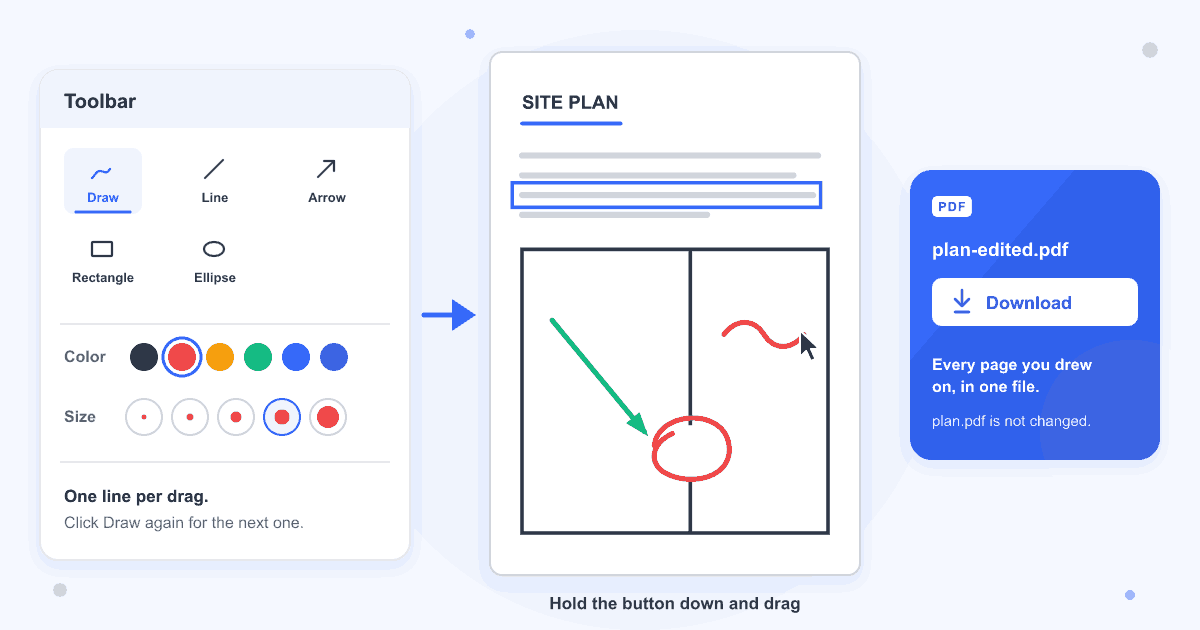
Drag the PDF into the dashed box or click Browse file. The editor opens with the Draw button already selected.
- 2
Pick a colour and size, then drag
Choose from the Color and Size rows under the toolbar. Hold the mouse button down on the page, move to draw, and let go to finish the line.
- 3
Download the marked-up copy
Click Download at the top right. The copy is saved with -edited added to its name, so plan.pdf comes back as plan-edited.pdf, and the file you opened stays as it was.
Guide
Drawing freehand lines and shapes on a PDF
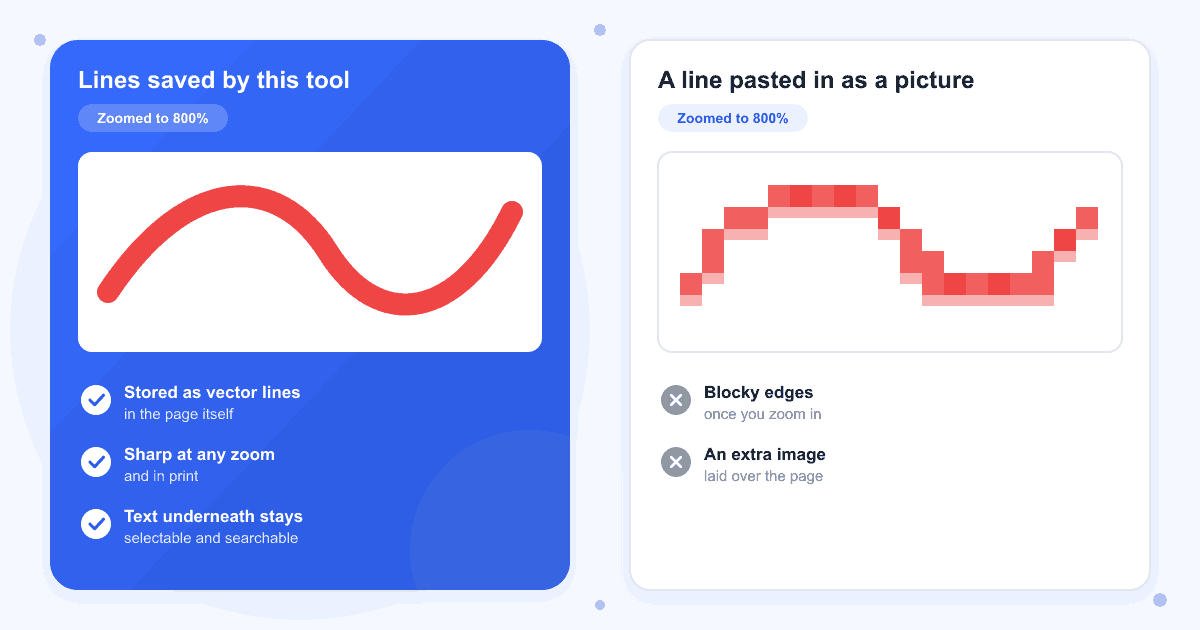
What you draw is written into the page as vector lines, the same kind of path a PDF uses for its own graphics, not pasted on top as a picture. That keeps every mark sharp however far you zoom: we rendered a saved page at 800 dpi and a 2 pt stroke still had clean edges. The text under your drawing stays selectable and searchable, and the page count and page size don't change.
The pen draws one line per drag and then switches itself off, leaving that line selected so you can move it or change its colour. To write a word or sketch something with several strokes, click Draw before each one. The colour and size you chose last stay selected, so that one click is all it takes.
Straight lines, arrows and boxes
Line and Arrow run straight from where you press to where you let go, and Arrow puts a solid head on the end. Rectangle and Ellipse draw outlines with no fill, so text inside a box stays readable. For a see-through yellow mark over text, use the Highlight button in the same toolbar or Highlight PDF.
Changing or deleting a line
Click anything you drew to select it. The Color and Size rows then change just that line, dragging moves it, and the blue dot at its corner resizes it. There is no eraser that rubs out part of a stroke, so click Remove or press Delete to take the whole line away, and Undo or Ctrl+Z (Cmd+Z on a Mac) brings it back.
Scanned pages and long documents
A scanned page is a picture, and the pen draws over it like any other page. On our test scan the page image came through untouched with the lines on top. Scroll to any page and keep drawing, and the marks from every page go into the one download.
PDFs with a password
Drawings aren't saved into a PDF that is locked with a password, even a lock that only limits printing or editing. Unlock the file with Remove PDF Password before you start, then use Add PDF Password on the finished copy if it should stay protected.
Last updated: 17 October 2026 · ChangeMyFile
Tested: 16 October 2026. Drew on a 3-page A4 plan in Chrome with the pen at sizes 2, 4 and 10, a rectangle, an ellipse, an arrow and a line in four colours, with marks on all three pages, then undid the last stroke. The download had the same 3 A4 pages and the same text, with every mark stored as vector lines in the page content and no annotations or images added. Also drew on a scanned page, changed the colour and size of a line after drawing it, and deleted a shape and brought it back with Undo.
FAQ
Draw on PDF questions
At a glance
- Drawing tools
- Pen, line, arrow, rectangle, ellipse
- Line widths
- 1, 2, 4, 6 or 10 pt
- Colours
- 7 swatches or a custom colour
- Account
- Not needed
- Watermark
- None
Can't find your answer? Visit our Help center.