
PDF to Word
Upload a PDF and download a Word .docx you can edit.
Select a PDF file to convert
Drop your PDF here
Drag file here or pick from your device
How to
How to convert PDF to Word
Have the PDF saved on this phone or computer. The page converts one file per run.
- 1
Choose your PDF
Drag it into the box or press Browse file. The box only picks up files that end in .pdf.
- 2
Click Convert to Word
The button reads Converting to Word while our server rebuilds the pages. When it finishes, the results page opens with your file.
- 3
Download the .docx
The Word file is named after the PDF, with spaces and brackets swapped for underscores. Contract (final) v2.pdf came back as Contract_final_v2.docx in our test.
Guide
How PDF to Word conversion handles text, tables and scans
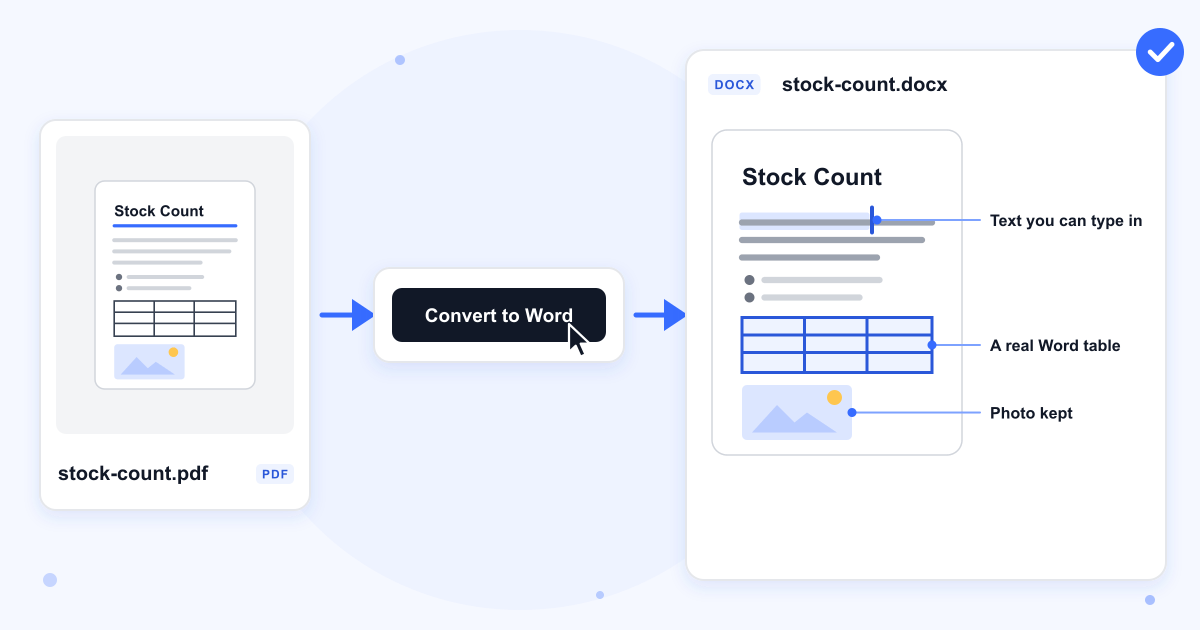
Our server rebuilds each page as a Word document with pdf2docx, an open-source conversion library. The text lands in ordinary paragraphs you can click into and type, not in floating text boxes. In our 3-page A4 test every word of the PDF came through, and the Word file kept the A4 page size.
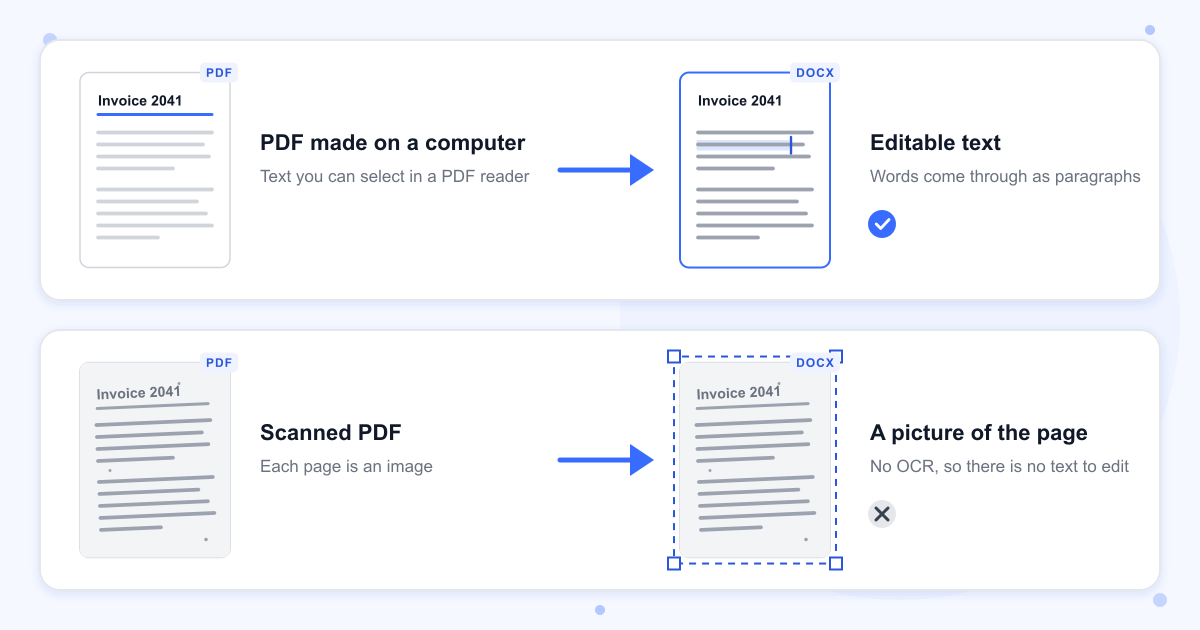
Before you upload, open the PDF and try to highlight a sentence. If the text highlights, the PDF has real text and will convert to something you can edit. If the whole page gets selected like a photo, or nothing happens, the pages are images.
Scanned PDFs come back as pictures
The tool doesn't run OCR, so it can't read words out of an image. Our scanned test page came back as a Word file holding one full-page picture and no text at all. To get editable text from a scan, you need a tool that does OCR first.
Headings and bulleted lists
Headings keep their size, bold and colour but arrive in the Normal style, so Word's navigation pane and table of contents don't see them. Apply Heading 1 or Heading 2 again where you need them. In both of our tests, a bulleted list came back as a two-column table with the bullet symbols in the left column and the items in the right, so you may want to rebuild it as a list.
Tables and photos
A table drawn with ruled lines came back as a real Word table: our 4 by 3 table of shelf counts had the same rows, columns and cell text. The photo stayed in place at its original 900 by 500 pixels.
Two-column pages
Our two-column newsletter came back with Word columns, but the text order broke where a story ran from one column into the next. The opening of the fourth story ended up after the sixth. Read through multi-column documents before you send them on.
Long PDFs
Files with more than 100 pages are turned away, and the page shows Processing Failed instead of a Word file. Cut the PDF into parts with Split PDF and convert each part.
Last updated: 16 October 2026 · ChangeMyFile
Tested: 16 October 2026. Converted a 1-page report with headings, paragraphs, a bulleted list, a 4 by 3 table and a photo, a 3-page A4 report, a 2-page two-column newsletter, a scanned 1-page PDF and a PDF that blocks printing and copying, then checked each .docx with python-docx. A PDF that needs a password to open and a 101-page PDF were refused and gave no Word file. Each conversion took between 1 and 2.2 seconds.
FAQ
PDF to Word questions
At a glance
- Output
- Word .docx
- Page limit
- 100 pages
- Size limit
- 100 MB
- Where it runs
- Our server
- Files deleted
- Within 24 hours
- Account
- Not needed
Can't find your answer? Visit our Help center.