
Sign PDF
Type, draw or upload your signature, click where it goes on the page, and download the signed PDF.
Select a PDF file to sign
Drop your PDF here
Drag file here or pick from your device
How to
How to sign a PDF
Have the PDF saved on this device. If you want your own handwriting rather than a typed name, draw it on the screen or keep a photo of it ready.
- 1
Open the PDF
Drag the PDF into the dashed box or choose it with Browse file. The editor opens with the Sign panel already showing.
- 2
Make your signature and click Add to page
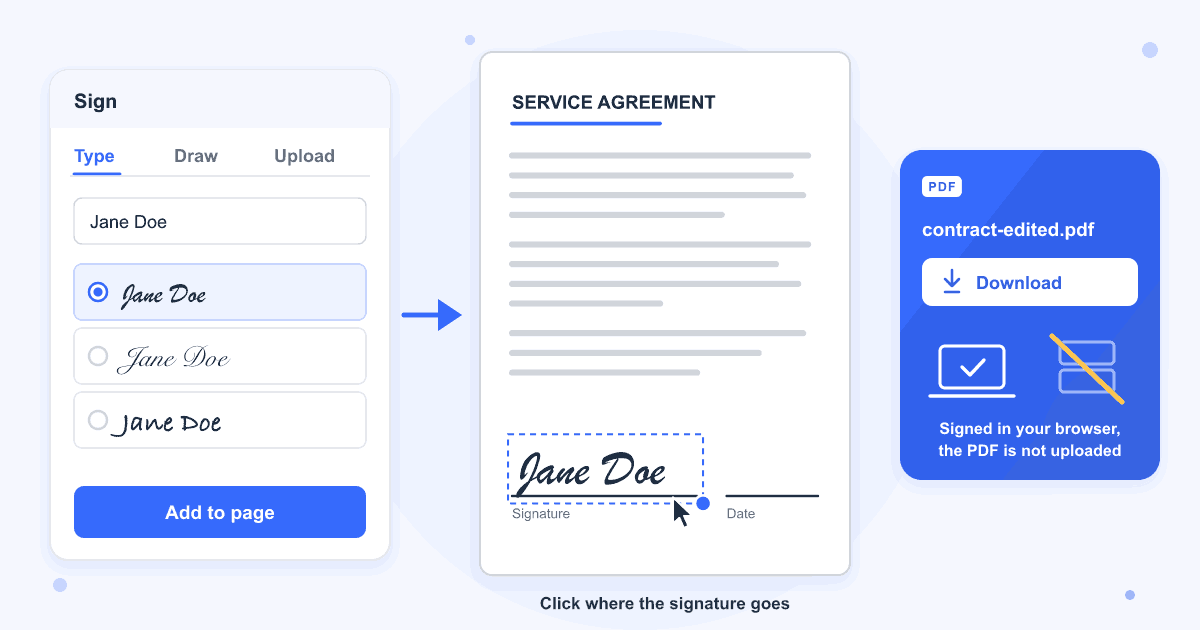
Type your name and choose a handwriting style, or switch to Draw or Upload. After you click Add to page, click the spot on the page where the signature belongs.
- 3
Check it and download
Drag the signature to line it up and pull its corner to change the size, then click Download. The signed copy gets -edited added to its name, so contract.pdf is saved as contract-edited.pdf.
Guide
Adding an electronic signature to a PDF
Your signature is turned into an image and drawn into the page itself, not added as a comment on top. Any PDF reader shows it, and the rest of the page is left alone. In our tests the text stayed selectable and searchable, and the page count and page size were the same as before.
A new signature lands about 7 cm wide on an A4 page, centred where you click. Pull the blue dot at its bottom right corner to shrink it to fit the line before you download. Initials come out at that same width, so they almost always need making smaller.
Electronic signature or digital signature?
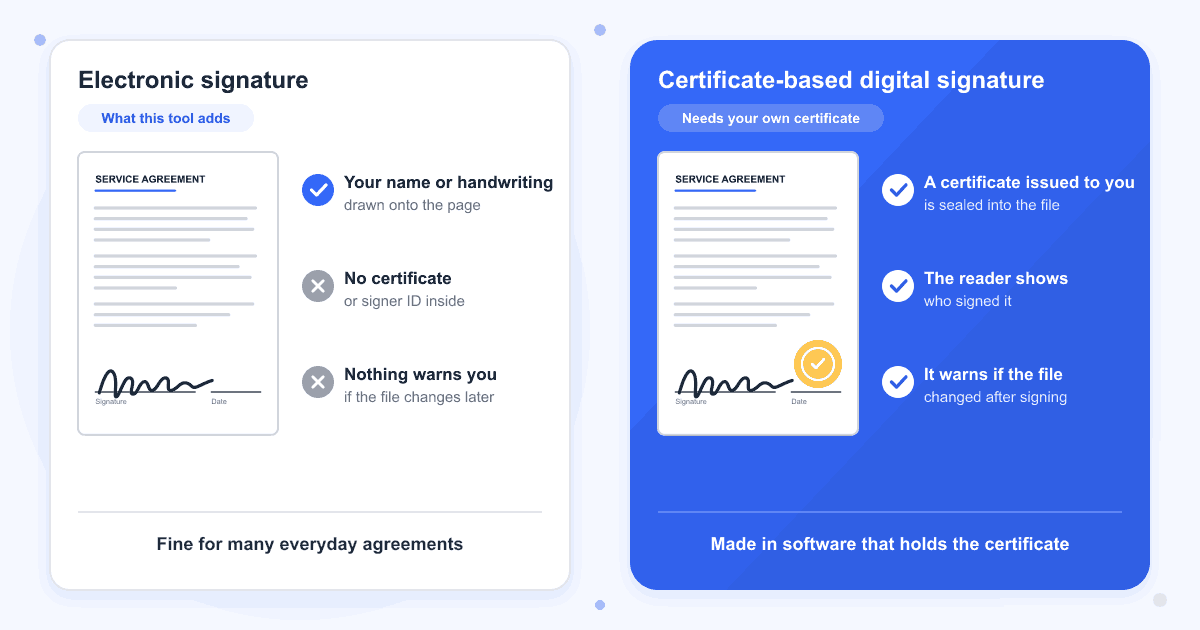
This tool makes an electronic signature: your name or handwriting placed on the page. A certificate-based digital signature also stores a certificate issued to the signer inside the file, so a PDF reader can show who signed and warn when the file has been changed since. We checked the files this tool saves, and they hold no signature field and no certificate, only the image on the page.
Typing, drawing or uploading
A typed name comes out in one of four handwriting fonts, Dancing Script, Great Vibes, Sacramento or Satisfy, in near-black, red, blue or green. The Draw pad takes a mouse, trackpad or finger and always draws in near-black. Upload accepts a PNG, JPG, WEBP or GIF up to 10 MB, and a photo of ink on paper keeps the paper as a pale box behind the signature unless you click Remove background.
Several pages, initials and the date
Open the Sign panel again for every extra signature. Our test contract took five across its three pages. Type your name, then click Initials to get JD from Jane Doe. To write a date, use the Text button in the toolbar, or place the box with today's date from the Stamp panel.
Scanned documents and fillable forms
A scanned page is a picture, and the signature sits on top of it like on any other page. Fill in a form's fields before you sign: the signed copy shows what you typed, but it no longer carries the form, so those fields can't be filled in again. To send several signed files as one, join them with Merge PDF.
PDFs with a password
A signature can't be saved into a PDF that has a password, including one that only blocks printing or changes. Take the password off with Remove PDF Password, sign that copy, and lock it again with Add PDF Password if it needs one.
Last updated: 16 October 2026 · ChangeMyFile
Tested: 16 October 2026. Signed a 3-page A4 contract in Chrome with a typed name, typed initials, a drawn signature and an uploaded JPG photo of a signature, five in all across three pages. The download had the same 3 A4 pages and the same text, with each signature stored as an image in the page and no signature field or certificate anywhere in the file. Also signed a scanned page, a form with filled-in fields, a 300-page PDF, and a signature drawn by touch at phone screen width. A PDF with an open password and one that only blocked editing could not be signed.
FAQ
Sign PDF questions
At a glance
- Signature from
- Typing, drawing or an image
- Signature type
- Electronic, no certificate
- Where it runs
- In your browser
- Signatures per PDF
- As many as you place
- Account
- Not needed
- Watermark
- None
Can't find your answer? Visit our Help center.