
Add PDF Password
Type a password twice and download a copy of your PDF that asks for it before it opens.
Select a PDF file to protect
Drop your PDF here
Drag file here or pick from your device
How to
How to add a password to a PDF
You need a PDF that opens without a password, and a password you can keep somewhere safe.
- 1
Add the PDF
Drag the PDF into the dashed box or use Browse file. Once it is added, the Set PDF Password panel appears below it.
- 2
Type the password twice
Enter it under New Password, then again under Confirm Password. Until the two boxes match, a red Passwords do not match line shows and the button can't be clicked.
- 3
Download the locked copy
Click Add Password Protection, then Download on the results page. The new file has _protected added to its name, and the PDF on your device stays unlocked.
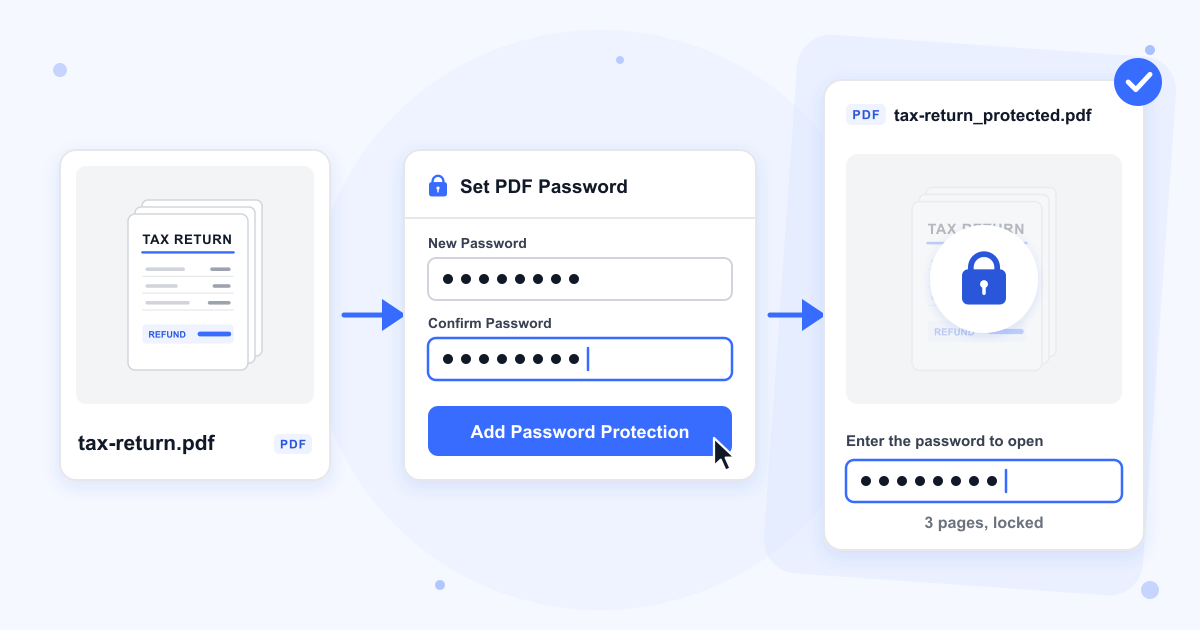
Guide
How PDF password protection works, and how strong it is
The tool sets an open password, the kind a PDF reader asks for before it shows anything. The page contents are encrypted with a key worked out from that password, so the file can't be read by skipping the prompt. In our test the reader turned away the right password typed with a lower-case first letter, which means capitals count.
Send the password a different way from the file. If the PDF goes by email, text the password or say it on a call, so one forwarded message doesn't hand over both.
The encryption is 128-bit RC4
Our server encrypts the file with 128-bit RC4, an older cipher, not AES. Every reader we tried opens it, but password-guessing software tests RC4 PDF passwords far faster than AES-256 ones. The tool also accepted a one-letter password without complaint, so pick 12 or more characters that mix words, digits and symbols.
Which characters to use
Stick to letters, digits, spaces and the symbols on an English keyboard. A password in Chinese characters and one with an emoji both gave us a file that no reader would open, even with the right password, and our own unlock tool couldn't open it either. Accented letters such as ä worked in pdf.js but not in Poppler, another common PDF engine.
PDFs that already have a password
A file that asks for a password, or one that opens but blocks printing or copying, is turned away, and a note under the button asks you to remove the existing password first. Take the old protection off with Remove PDF Password, then lock the unlocked copy here.
What carries over to the locked copy
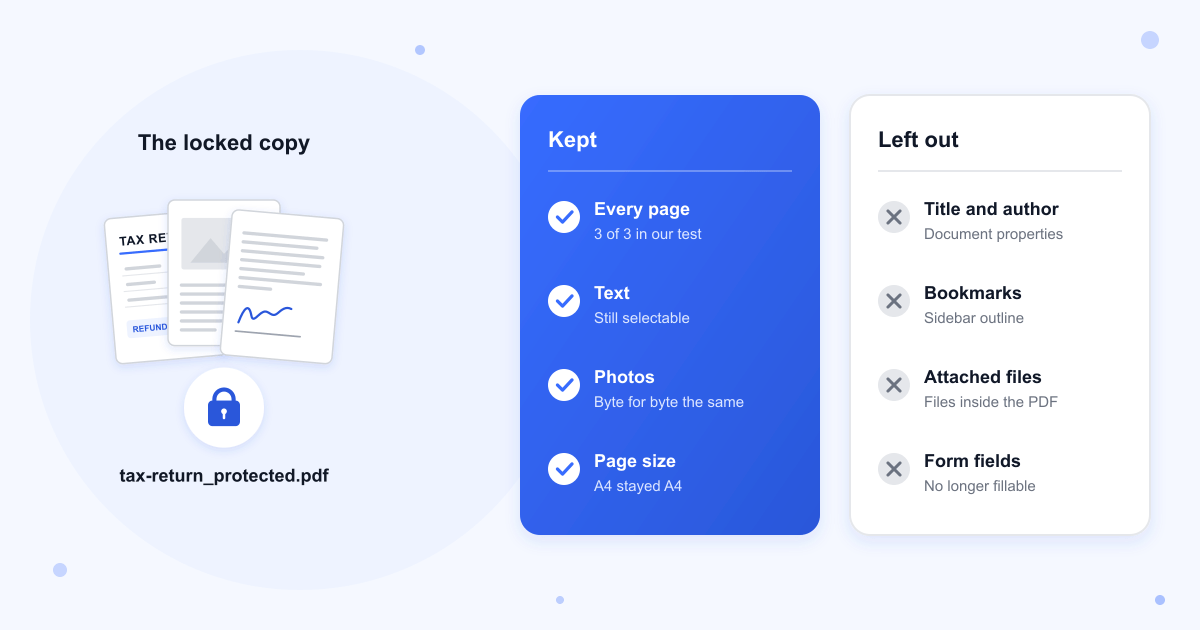
Pages, text and images come through. The photo in our test file was byte for byte the same, and the size went from 487 KB to 486 KB. The document title and author, bookmarks, attached files and fillable form fields are not carried over.
Files over 100 MB
These can't be locked. Make the file smaller with Compress PDF or break it into parts with Split PDF first.
Last updated: 16 October 2026 · ChangeMyFile
Tested: 16 October 2026. Locked a 3-page A4 PDF with text, a JPEG photo, bookmarks and a title. pdf.js asked for a password, refused a wrong one and opened all 3 pages with the right one, and Poppler and pypdf gave the same results. The encryption settings read 128-bit RC4, revision 3. Tried passwords of 1 and 40 characters, with spaces, with accented letters, in Chinese and with an emoji. Sent a PDF that already had a password, a PDF that only blocked printing, a text file renamed to .pdf and a 105 MB PDF. Unlocked a locked copy with Remove PDF Password and got all 3 pages back. Small files took under a second and the 487 KB file about 1.6 seconds.
FAQ
Password protect PDF questions
At a glance
- Files per run
- 1
- Size limit
- 100 MB
- Where it runs
- Our server
- Files deleted
- Within 24 hours
- Account
- Not needed
- Watermark
- None
Can't find your answer? Visit our Help center.