
ChangeMyFile - Free Online File ConverterChangeMyFile
Trusted by thousands of users worldwide

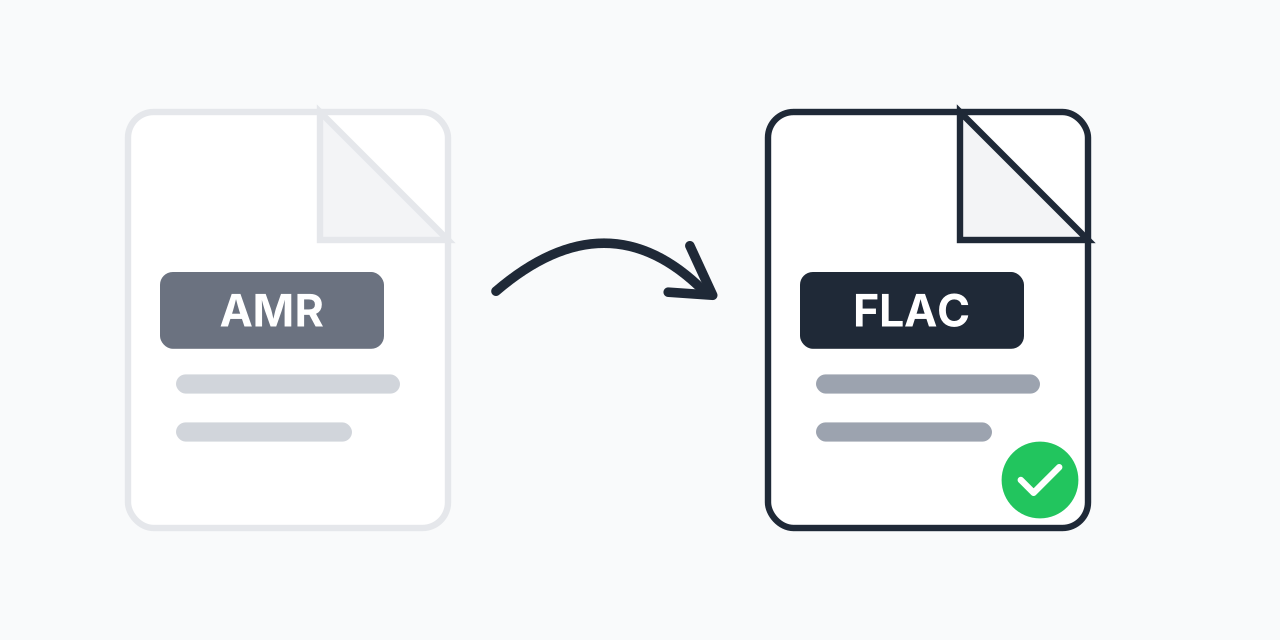
Convert AMR to FLAC - Preserve Your Voice Recordings

Transform phone recordings into lossless FLAC format. Keep every detail intact.

Step 1: Upload your files

You can also Drag and drop files.

Step 2: Choose format
Step 3: Convert files

Read Terms of use before using

Share:fXin@
500+ Formats
Lightning Fast
100% Secure
Always Free
Cloud Processing

Why Convert AMR to FLAC?

AMR (Adaptive Multi-Rate) files are common on older mobile phones and voice recorders. While AMR works fine for phone calls, its heavy compression limits quality. Converting to FLAC preserves your recordings in a lossless format suitable for long-term archiving.

If you have important voice memos, interviews, or phone recordings saved as AMR files, converting to FLAC ensures they remain accessible and uncorrupted for years to come.

How to Convert AMR to FLAC

  1. Upload your AMR file - Drag and drop or click to select your recording
  2. Select FLAC as output - Choose lossless FLAC format for maximum quality
  3. Download your file - Get your converted FLAC audio instantly

The entire process happens in your browser. No software to install, no account required.

AMR vs FLAC: Technical Differences

AMR was designed for speech at extremely low bitrates (4.75-12.2 kbps). It sacrifices audio quality for small file sizes. FLAC, on the other hand, is a lossless codec that preserves every audio detail while still compressing file size by 50-60%.

  • AMR - Lossy compression, 8kHz sample rate, optimized for speech only
  • FLAC - Lossless compression, supports up to 96kHz sample rate, full frequency range

In our testing, AMR files converted to FLAC maintain their original quality while gaining compatibility with modern audio software and devices.

When to Use This Conversion

Archiving Voice Memos

Old phone recordings often contain irreplaceable memories or important information. Converting to FLAC ensures these recordings survive format obsolescence.

Professional Transcription

Transcription software and audio editors work better with FLAC files. The lossless format provides cleaner waveforms for accurate speech recognition.

Legal or Business Records

For recordings that may be needed as evidence or business documentation, FLAC provides an archival-quality copy that maintains integrity over time.

Alternative Formats to Consider

FLAC is ideal for archiving, but not always the best choice for everyday use:

  • AMR to MP3 - Better for sharing via email or messaging apps
  • AMR to WAV - Uncompressed audio for professional editing

Choose FLAC when file size is less important than maintaining the highest possible quality for future use.

Works on Any Device

Our converter runs entirely in your web browser:

  • Windows, Mac, Linux, Chromebook
  • Chrome, Firefox, Safari, Edge
  • iPhone, iPad, Android tablets

No plugins, no downloads, no waiting. Just upload and convert.

Pro Tip

AMR files from old phones often have metadata stripped during transfer. Before converting, note the original recording date and add it to the FLAC file's metadata tags to maintain your archive organization.

Common Mistake

Expecting FLAC conversion to magically improve voice clarity. FLAC preserves quality but cannot enhance audio that was already compressed. For better quality from the start, record in a higher-quality format when possible.

Best For

Archiving important voice recordings like interviews, legal depositions, or family voice memos that you want to preserve indefinitely without format obsolescence concerns.

Not Recommended

Casual voice notes you plan to delete after listening. AMR is fine for temporary recordings. Use FLAC for recordings worth keeping long-term.

Frequently Asked Questions

AMR (Adaptive Multi-Rate) is an audio format developed for mobile phone voice recordings. It uses heavy compression to create very small files, making it common on older phones and voice recorders. However, this compression limits audio quality.

Converting to FLAC preserves the existing quality without any further degradation, but it cannot restore quality lost during the original AMR compression. FLAC ensures no additional quality loss during future playback or editing.

AMR uses aggressive lossy compression (4.75-12.2 kbps) while FLAC uses lossless compression. A typical AMR file might be 100KB while the FLAC version could be 2-5MB. The larger size preserves all audio data without loss.

Most modern smartphones support FLAC playback natively. Android has supported FLAC since version 3.1, and iOS added native FLAC support in iOS 11. Older devices may require a third-party player app.

Yes, completely free. There are no hidden fees, no file limits, and no account required. Upload your AMR files and download FLAC versions at no cost.

Yes. The conversion happens entirely in your browser using local processing. Your audio files are not uploaded to any server, ensuring complete privacy for sensitive recordings.

Yes, batch conversion is supported. Upload multiple AMR files and convert them all to FLAC simultaneously, saving time when processing entire folders of recordings.

FLAC is widely supported by VLC, Windows Media Player, iTunes (via plugin), Audacity, Adobe Audition, and most modern audio software. It is also supported natively on Android, iOS, Mac, and Windows 10/11.

Both work well for editing. FLAC files are smaller while maintaining identical quality to WAV. If your editing software supports FLAC, use it to save disk space. For maximum compatibility with older software, choose WAV.

Conversion is nearly instant for typical AMR voice recordings. A 5-minute recording converts in just a few seconds. Larger files or batch conversions may take slightly longer depending on your device.

Quick access to the most commonly used file conversions.