
WebP or PNG: which one your site actually wants
WebP wins on file size almost every time. That is not the whole question, and for some images PNG is still the right answer.
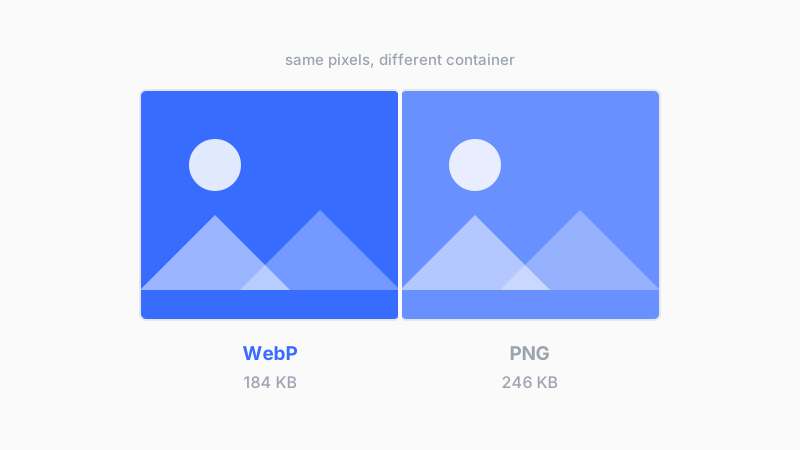
WebP was built to replace PNG and JPEG on the web, and on file size it does. A typical PNG screenshot converted to lossless WebP lands around 25 percent smaller with pixel identical output. Lossy WebP goes much further than that.
Where WebP is the easy call
- Photographs on a page, where lossy WebP beats JPEG at the same visual quality
- Screenshots and UI captures, where lossless WebP is a free size cut
- Anything with transparency that would otherwise be a heavy PNG
- Images you serve a lot of, where bandwidth is a real cost
Browser support stopped being an argument years ago. Every current browser reads WebP, and the ones that do not are not visiting your site.
Where PNG still wins
The cases are narrower than PNG defenders claim, but they are real. Anything that leaves the browser is the main one. Design handoffs, files going into a print pipeline, assets someone will open in an editor, images attached to a support ticket. PNG opens everywhere without a second thought, and WebP still gets a shrug from some desktop software.
Small flat graphics are the other case. A 32 pixel icon with four colors is already a few hundred bytes as PNG. WebP has container overhead that can make it larger, and saving 40 bytes is not worth a format decision.
WebP for images the browser displays. PNG for images a human will open, edit, or send somewhere else.
The decision in one line
One thing to watch
WebP has a lossless mode and a lossy mode, and converters do not always default to the one you want. Running a screenshot through lossy WebP puts compression artifacts around text, which is the exact failure PNG exists to avoid. If the image has text or sharp edges in it, check that you are on lossless before you convert a folder full of them.
Updated
- WebP
- PNG
- images
- web